Showing posts with label money saving tips. Show all posts

Feb 27, 2020

It Pays to Revisit Your Insurance Policies (Literally)

When we purchased our townhouse, I had no idea we'd have to purchase so many insurance policies to protect our investment. We have a condo owner's policy, an earthquake policy, an umbrella policy, and a personal articles policy for my engagement ring. We've owned our townhouse for nearly twenty years now, but last year, for the first time in many years, I contacted our insurance agent to ask if our condo owner's policy covers what it should, and if it covers anything it doesn't need to.

It Pays to Revisit Your Insurance Policies (Literally)


My query led to a series of emails and phone conversations, and we ended up reducing some excess coverage. Now we're saving over $100 per year on our condo owner's policy. Since our premiums have gone up and up over the years, it's a refreshing change.

You don't have to update your policies every year (although that would be ideal), but you should definitely check on them every so often.

I'll admit, sometimes we've revisited our policies and ended up paying more, like when we added coverage in case an earthquake forced us to move out for an extended period of time. But every time we've updated our coverage, I've felt better, because whether we're paying more or less, it means our policies are specifically tailored for our situation.

Oct 21, 2019

How much should you stockpile?

How much should you stockpile?

If you shop sales, that's a question that inevitably comes up. I just did the Bounty deal I mentioned in last week's newsletter, which means I have the equivalent of 92 regular paper towel rolls in my house. At $0.50 per roll, it was a stock up price we haven't seen that often, so I couldn't resist. But, it's a lot of paper towels!


How much should you stockpile?

So here are some questions I ask myself when deciding how much to stockpile:

How much do you need?

Obviously, if it's something you use a lot of, you'll want to stock up more than you would on something you only use a few times a year. For example, I'll buy far fewer air filters at a stock up price than I will paper towels, toilet paper or facial tissues.

How much storage space do you have?

My house has fairly limited storage space, so this question is one I think about a lot. In fact, I almost didn't do the Bounty deal because of how much space 92 rolls of paper towels takes up. But like I said, I just couldn't pass up that stock up price.

How often does the item go on sale and/or is it available at the current price?

This is a great question for those times when you're on the fence. The last time I stocked up on paper towels, a few months ago, we were really low and the best price I could find was around $0.70 per roll. I'd been on the lookout for a lower price for a while at that point, and last week was the first time I've seen the $0.50 per roll price since. So it was really appealing (we're a Bounty family, so other brands aren't an option). Because my target price on paper towels is increasingly rare, I'm probably going to stock up a lot every time it comes around now.

How do you decide how much to buy when something's on sale?

Oct 17, 2019

One Tip for Eating Out Less: Celebrate!

One of the most common budget busters is eating out, so when I recently read this tip, I was inspired to make sure we eat at home more. The basic idea is to think of eating out as a treat, the way it used to be "in the old days.”

I mean, I’m old enough to remember even fast food being an irregular occurrence - we certainly had it when I was a kid, but not once a week.

Yet I often turn to fast food or takeout because I’m tired or didn’t plan ahead and it’s already dinner time. Even my parents’ generation seems to eat out frequently these days.

What I really loved about the tip I read, though, is to celebrate everything. Cleaned out the garage? Go out and celebrate! Half birthday? Celebrate! And so on.

One Tip for Eating Out Less: Celebrate


The key to making this new mindset work is pantry meals. The day I read the tip, my husband asked if I was going to cook or if he should pick something up. I really wanted to implement the new strategy so I poked my head in the freezer and saw some naan bread. So I made flatbread pizzas, with ingredients I had on hand - including the sauce from scratch, only because I didn’t have jarred sauce. Other pantry meals include baked pasta (which is just throwing together pasta, pasta sauce, and cheese in a dish and baking until it bubbles), breakfast (i.e., pancakes, eggs, fruit, and maybe bacon), and sardines and rice.

It also helps to have some freezer meals, like meatloaf, lasagna, enchiladas, and chili.

Do you have a favorite strategy for eating out less?

Sep 9, 2019

CFO Favorite: SodaStream Sparkling Water Maker

CFO Favorite: SodaStream Sparkling Water Maker

I've had a SodaStream for almost 10 years, since before the sparkling water craze hit grocery store shelves. I was lucky enough to win it from The Bragging Mommy, and it just might be the best prize I’ve ever won. It’s definitely the most used!


Ever since I received my SodaStream, I’ve been drinking unflavored sparkling water (the flavor mixes never did anything for me). And it’s so economical!

I drink at least 2 liters per day, which is equivalent to four 500 ml bottles. Each CO2 canister lasts me about a month, so it carbonates at least 60 1-liter bottles. The lowest price for an 8-pack of 500 ml bottles is $1.99. Sixty 1-liter bottles is equivalent to 120 500 ml bottles, or 15 8-packs. Fifteen 8-packs at $1.99 each comes out to $29.85, not including CRV (California Redemption Value) of 5 cents per bottle.

Each SodaStream CO2 canister refill is $14.99 at Bed Bath and Beyond, and they let you use coupons for them. A $5 off $15 purchase coupon (which they’ve always let me use for this purpose) brings the cost down to just $9.99. I don’t remember if they charge sales tax (I think they do), but even then I pay less than half the cost of buying individual bottles.

Plus, the SodaSteam has the added benefit of being much more environmentally friendly. Even though I do recycle, it’s best to use less plastic to begin with.

If you prefer flavored water, it's so easy to add slices of orange, lemon, lime, strawberries, and/or cucumber. You can also use an insulated tumbler to keep your sparkling water cold on the go. (All sparkling beverages - at least in my opinion - are much better cold!) There are also natural flavored syrups that you can get

There are a lot of different SodaStream options out there, and you might want to try the more expensive SodaStreams that come with flavor syrups if you're interested in them. (You could also try making your own flavored syrups.)

If you just want plain sparkling water, Amazon has a sparkling water maker for just $49.99. However, if you're just getting started, I recommend the water maker with one CO2 canister for $74.81 $63 (love a price drop!). A new CO2 canister is $29.99, so the combo is a better deal.

Sep 3, 2019

An Unexpected to Benefit To Not Deal Blogging (that can work for youtoo!)

I guess this makes sense, but I didn't predict it: not blogging about deals is saving me more money, not less.

It turns out - not surprisingly, when you think about it - that constantly finding hot deals makes them hard to pass up.

An Unexpected Benefit to Deal Blogging (that can work for you too!)

I was always pretty good about keeping my impulses under control, and not buying things we didn't need or wouldn't use. But sometimes I'd find a hot deal that I regretted - like the Fila sneakers I bought for the boys from Zulily one year that never actually got worn.

Fortunately, it got easier to restrain myself the longer I blogged. But still, a stock up deal is a stock up deal, and therefore, difficult to resist. In fact, I kept buying disinfecting wipes because Amazon kept having stock up prices on them, until I literally ran out of storage space in the cleaning supplies cabinet.

Not making a note of every awesome deal I come across has taken some getting used to. But because I can bypass the deals and not spend an extra second thinking about them, I'm a lot less tempted to spend money.

How does this apply to you? Well, it depends on how much temptation you find yourself facing. If you feel like you're frequently tempted by deals, then the best thing you can do is reduce your exposure to them. That might mean following fewer deal blogs or unsubscribing from emails from your favorite stores.

How do you know you're being too tempted? Well, like me, you might be out of storage space, or you might find yourself with items that seemed like a good buy but turned out to be a waste of money. (In my case, it wasn't just shoes and wipes, but also Shutterfly notepads, magazine subscriptions - though at least those were free, and more than I care to remember.)

I still keep an eye out for deals, of course, and have a running list of things I want to stock up on when the price is right. However, there are lot of deals I might have considered in the past that I don't even pause at, and my savings account is a lot happier for it.

Aug 22, 2019

Tips and Strategies for Building an Emergency Fund

Tips & Strategies for Building an Emergency Fund


A few months ago, I had to take my son to the emergency room. And while it wasn’t the first time, we were there so briefly, and he needed so little attention from the medical staff, that I was shocked by the bills. They totaled about $1,000 for the twenty minutes that we were in the ER – most of which was spent at intake, then waiting for the doctor and the nurse. They just gave him some pills and a prescription - it's not like they even ran any tests.

The kicker is, we have excellent health insurance, and the hospital and doctor were in-network!

Fortunately, we have an emergency fund, and the means to pay off the bills in full without much difficulty. But it got me thinking about the millions of people who wouldn’t be able to pay that bill, or for whom paying it would be a huge struggle. It's certainly easy to understand how just a few medical bills can render a family financially unstable.

I can’t emphasize the importance of an emergency fund enough. For one thing, it provides an incredible amount of peace of mind. I realize an emergency fund can't cover every situation - if you have $10,000 saved but need $25,000, you're still in the red. But having even a little bit to fall back on can be a huge lifesaver.

Of course, it’s not easy saving money when you’re having trouble making ends meet. But it’s so worth it. Here are a few ways to find money to set aside:

Eat beans and rice for a week, and put the grocery savings aside.

Sell your stuff. Go through your closets and bookshelves and figure out what you don't need/want anymore. Sell the items that you can, and donate the rest. (Andrea Dekker has tips for selling on Craigslist that might be helpful. Bonus: You might save money simply by finding things you didn't remember you have that you no longer need to purchase.)

Round up every purchase and put the difference into savings. For example, if you pay $14.55 at a restaurant, put $0.45 (or $5.45 if you round up to $20) into savings.

Put all "found" money into savings. This includes rebates, gifts, Swagbucks or Microsoft rewards, and the $5 bill you find in the pocket of the jacket that you're getting ready to sell or donate.

Do a No-Spend Challenge. The idea is to go a specified length of time (usually a month) without spending any money except on perishables. If you specifically want to do a Pantry Challenge, Good Cheap Eats has lots of inspiration.

Create a side hustle or take on a new job. Chris Guillebeau's Side Hustle School is is full of inspirational stories about people who've created a side income. If that's not your kind of thing, try signing up with a company like TaskRabbit or Upwork, where you can offer a service to someone who needs it (e.g., housecleaning, furniture assembly, or graphic design).

Live by the old adage: Use it up, wear it out, make it do or do without. This is a great mindset to live by all the time, but one I often fall out of. However, writing this post put me back in it, and I just sewed up a torn seam on a cheap pair of yoga pants instead of simply throwing them out!

It may help to remember that your new lifestyle doesn't have to be permanent. You might find that you can live comfortably on less money than you thought, or that watching your savings build up is incredibly exciting and motivating. But if not, set a goal for your emergency fund - usually six months' worth of living expenses, but even one month can provide a lot of peace of mind. And know that you can relax the purse strings once you hit your goal.

I know I'm barely scratching the surface when it comes to ways to build up an emergency fund. What's worked for you?

Aug 15, 2019

How to Maximize Savings with Amazon Subscribe & Save

How to Maximize Savings with Amazon Subscribe & Save

I used to mention Amazon's Subscribe & Save program frequently in the Daily Roundup, and that's because it's one of the best ways to save money on everyday items. Although I no longer post a Daily Roundup, I wanted to share how to maximize your savings on things you can have delivered right to your door.

In case you're not familiar with Subscribe & Save, it's a program that pretty much describes itself - your first order creates a subscription, or a recurring order that you don't have to place again. Your Subscribe & Save orders are delivered once a month, and you can choose a frequency for each subscription that's between one to six months. By subscribing, you get 5% off, and if you have five or more subscriptions delivered in a month, you usually get 15% off each subscription.

Subscribe & Save can be extremely convenient: imagine never running out of toilet paper or toothpaste! But that convenience can come at a cost if you're not vigilant.

You'll want to be familiar with the page for managing your subscriptions, which can be found by clicking or hovering on "Account & Lists" at the top right corner of every page (just under your name), then on "Your Subscribe & Save Items."

Maximize your Subscribe & Save savings

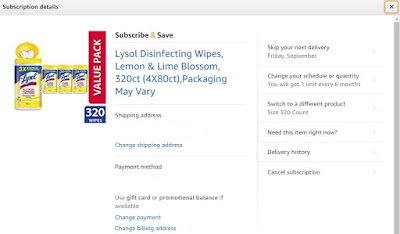
It's extremely easy to manage your subscriptions: Just click on an item and then click "Edit" ...
Maximize your savings with Amazon Subscribe & Save
... to change the frequency, skip a month (or more), or even cancel a subscription.

Maximize your savings with Amazon Subscribe & Save

The good news is that spending just a few minutes each month to manage your subscriptions can help you get the most out of your money:

Only ship orders when you have 5 or more subscriptions. If you have 5 or more subscriptions, you get a 15% discount off most items, instead of just 5%. That can result in a substantial savings across your order. It does mean you might have to delay receiving something, or move up an order for something you won't need for another month, but manipulating your subscriptions in this manner to always get the 15% off discount will save money.

Only ship what you need. The corollary to the tip above is that you should only order what you need. Keep an eye on what's in your pantry, cupboards, and closets. Don't stock up more than a month or two ahead of time unless the deal is a rock bottom price.

Look for coupons. The best way to maximize savings is to combine a coupon with the 15% off discount. The caveat is, of course, that you won't always be able to find a coupon. But at least finding out whether there's a coupon for an item you want to subscribe to is easy - just go to the listing for that item, and if there's a coupon, it'll be under the price.
Maximize your Amazon Subscribe & Save savings

Delay or cancel subscriptions when they're not a good deal. You can cancel a subscription at any time, even before your first shipment. So if you change your mind about an item, don't hesitate to cancel. This tip is especially applicable to items that you bought using a coupon, since it was likely the coupon that made the item a great deal. Coupons are only good for the first order and won't be applied to future subscriptions, so you should definitely cancel any subscriptions that you wouldn't want without a coupon.

Check your order every month before it ships. Amazon will send you an email about a week before your Subscribe & Save shipment is set to arrive. It will contain a list of all of your subscriptions that are shipping that month, and it will tell you the price, and whether it's changed since your last shipment. This is the time to skip or postpone items that have gone up in price that you don't need right away, cancel subscriptions for items you no longer use, and even to see if you can find a better price somewhere else, like Target or Costco.

Do you have any tips for saving money with Amazon's Subscribe & Save program?

Aug 8, 2019

How to Keep Getting Freebies from Shutterfly

How to Keep Getting Freebies from Shutterfly

I love all the freebies from Shutterfly, which I use to stock up on birthday, holiday and random gifts for my parents and in-laws. Since I won't be posting daily to let you know when there's a code out, I wanted to make sure you know how to keep getting your freebies.

The key is to make sure you've signed up to receive their emails and mailers. I get a lot of codes that are just for me (i.e., they can only be used once). Although the email will say the code is only good for a few products, when I enter it, I often get a much longer list of products that I can get for free. Shutterfly's emails can easily end up in your spam folder, so make sure you add Shutterfly@em.shutterfly.com to your Contacts, and regularly check your spam folder since the codes are time sensitive.

If you're not sure if you've signed up for Shutterfly emails and mailers, go to Shutterfly.com and click on the little down arrow next to your name at the top right of the page:

Sign up for Shutterfly emails

Click on "Settings" in the drop down menu, then scroll down to "Account Settings" and select "Change communication preferences."

Sign up for Shutterfly emails

Make sure the boxes are checked, or check the boxes and save your changes.

* * * * * * * *

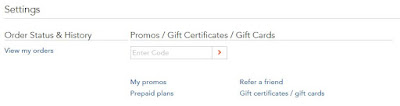
Pro tip: When you click on "Settings" in the drop down menu, you'll see a box with "Enter Code" in it.


Keep getting freebies at Shutterfly

If you enter the code here, then click on "My Promos," you'll see a list of the promotions currently attached to your account. This is a great way to check if the code you entered is good for more than just what was listed in the email. You can also enter codes and come back later to use them, so long as you use them by the expiration date.


* * * * * * * *

Of course, you almost always have to pay for shipping for the free products, so that's definitely something to keep in mind. As I mentioned last week, I've started buying discounted Shutterfly gift cards to pay for the shipping costs. I'm still paying for shipping, but because I paid less than face value for the gift card, I'm at least saving some money.

I'll leave you with a word of caution: Don't order a freebie just to order something, or you'll likely end up wasting money. For example, I've gotten carried away and ordered multiple notepads, only to have no real use for them. Or another example: the reusable shopping bags are great, but shipping is around $8. You can buy a reusable bag for $0.99 just about anywhere. So only buy the bag from Shutterfly if a customized bag is going to be meaningful. I love having bags with my kids' artwork on them, so it was a worthwhile purchase for me, but only three of the dozen reusable bags I regularly use are from Shutterfly.

How do you use Shutterfly freebies?

This post contains affiliate links that help support this site at no additional cost to you. Thank you for using them! You can read CFO's full disclosure here.

Aug 1, 2019

Stack Money-Saving Strategies with Discounted Gift Cards for BIG Savings

Stack Money-Saving Strategies with Discounted Gift Cards for BIG Savings!

If you've been following Chief Family Officer for any length of time, you already know that I love discounted gift cards. But what I haven't shared yet is that I recently upped my game when it comes to saving money with them, because I discovered that I can buy discounted gift cards all the time at Raise.com.

Raise is a site that sells gift cards at a discount, usually in the 3% to 10% off range. You can also sell your gift cards on Raise, although I haven't done that.

The easiest way to illustrate the stacking of savings strategies is with an example:

I always use the Starbucks app to pay at Starbucks, because it's the easiest way to earn stars and therefore free rewards. For years, I bought Starbucks gift cards at Target using my REDcard, which gets me 5% off, or at Ralphs, where I get 5% back when I use my American Express card.

But a couple of months ago, after I learned about Raise, I started buying Starbucks gift cards there, because they're regularly 5% to 9% off. Going through Rakuten (formerly Ebates) gets me an additional 1% back. Plus I always try to wait for a sitewide code for an additional 5% to 7% off. The numbers worked out like this for a recent purchase:

$50 Starbucks gift card
Listed at $46.37 on Raise (about 6.5% off)
- $3.25 for 7% off sitewide code discount
- $0.43 for 1% cash back from Rakuten
Final Price: $42.69

A mere 5% discount would make my cost $47.50 for a $50 gift card, so going through Raise saved me an additional $4.81 on this particular gift card.

I've also started buying gift cards for Shutterfly to pay for the shipping costs on the freebies that I get there. And I now pause when making a purchase online to see if there's a gift card available.

For example, the last times I ordered food from PF Chang's and Panera Bread, I checked my total, then went to Raise to buy a discounted gift card for the nearest whole amount. So if my total was $32, I bought a $25 gift card for around $22 and paid the difference with my credit card. That resulted in a savings of $3 for just a couple of minutes of effort.

For other retailers, like Macy's or GAP, imagine how much you would save if you shopped a sale, used a coupon, and paid with a discounted gift card!

However, I caution against using a discounted gift card if you think you might return something. Sometimes companies are difficult about returns, particularly if the purchase was made with a gift card. I've also read that companies sometimes refund the original gift card, which means you need to be able to retrieve it. I just don't think the risk is worth the savings.

Since you're buying gift cards from a third-party at Raise, I suggest sticking to whole, round numbers that end in 0 or 5, because I've read that they are more likely to be legitimate. Raise does offer a one-year money-back guarantee on gift cards that don't match the description (e.g., a $40 balance on a gift card listed at $50), but I've never had an issue so I've never contacted their customer service.

One downside about Raise is that they may not have the gift card you want in stock, or at the value you need. But they do seem to restock regularly.

There's also a Raise app that I want to test some time, with the idea of buying a gift card while I'm out and about. For instance, if I'm dining at PF Chang's, I could wait to see what my total is, then buy a gift card in the Raise app, and use it to pay for my meal.

One final note: Like Rakuten, Mr. Rebates offers cash back on Raise, but I had issues with it being credited. This doesn't seem to happen at Rakuten, so I stick with them for my Raise purchases (and I've never had issues with other retailers at Mr. Rebates).

If you try any of these tips, let me know it worked for you, and how much you saved!

This post contains affiliate links that help support this site at no additional cost to you. Thank you for using them! You can read CFO's full disclosure here.

Jan 29, 2019

Grocery Rebate and Coupon Apps You Should Be Using

One trend I haven't been able to avoid the last few years is that paper coupons, especially printable ones, are becoming increasingly difficult to use. It's partly because of technology and partly because lots of customers abused them - they’d come in and use 20 of the same coupon, and many were photocopied, which is fraud, so stores stopped getting reimbursed by manufacturers. Now there's a weird dichotomy with coupons being more available than ever from manufacturers and stores being more reluctant than ever to accept them.

So as we move away from paper coupons, digital coupons and rebates are increasing in availability. I'll discuss the apps I use most, because they're the ones I'm familiar with. If you're not in the Southern California region, you should definitely check to see what apps bloggers in your area recommend, as they may differ from what works best in SoCal. But the principles I discuss will definitely apply to everyone.

Grocery Rebate and Coupon Apps You Should Be Using

Store Apps

If there is a store you shop at regularly, you should definitely see if they have an app with offers and/or coupons. I shop weekly at Ralphs and I use the Ralphs app all the time to check if there’s a digital coupon available, especially for store brand items. I sort by expiration date to ensure I don’t let any great coupons go unused, especially the ones for free products.

The other store-exclusive app I use regularly is the Target app. As I've mentioned previously, I scan everything I put in my cart at Target, and I often find surprise deals like a Cartwheel discount for anywhere from 5% to 30% off.

Other stores I shop at that have their own apps with savings are Whole Foods and CVS. Even Michaels has an app with coupons! I also have the Sprouts and Vons apps on my phone, although I almost never shop there.

In addition to individual store apps, there are rebate apps that work at multiple stores. I find that these require a little more work, but they can really pay off. Here are the two I use the most:

Ibotta

Ibotta was one of the first rebate apps, and it's still one of the primary rebate apps I use. They accept receipts from many stores, including Ralphs, Target, Whole Foods, and Costco. I love that the app works well, you can combine their rebates with coupons, and their offers are easy to understand. My biggest complaint is that I don't buy a lot of the brand-specific items they have offers for, but I can't fault them for their brand partnerships - it's how they stay in business! And there are a lot of pros - they regularly offer any-brand offers (such as $0.25 back WYB any brand of cereal), they have a section titled "Buy It Again" so you can see rebates for items you've purchased in the past, and they also offer rebates for online shopping that are sometimes better than the offers at sites like Ebates and Mr. Rebates.

You can request a payout once you hit the $20 mark, via Paypal, Venmo, or gift card. Lately, I've been getting the $25 Amazon gift card, and it's been delivered promptly.

Ibotta offers a referral bonus of $5 for each friend you refer, as well as other bonuses, such as a $0.50 bonus for redeeming 10 offers and $10 worth of offers in a month. If you haven't joined yet, here's my referral link - thank you if you use(d) it!

Fetch Rewards

Fetch Rewards is a fairly new rebate app but it's one I've been using regularly since they'll give you credit for receipts from any grocery store, including Trader Joe's. It took me a while to understand how their app works, but it seems like if there's an item or brand listed that doesn't have a specific rebate amount, they give you back 1% of the purchase price. For example, if I buy Breyers ice cream for $4.99 and Breyers is one of their partner brands, they'll give me back 50 points. If nothing on your receipt qualifies for an offer, they'll still give you 25 points, which is nice. Like Ibotta, you can combine their rebates with coupons.

One interesting thing Fetch does is keep track of your spending to date. This can be great for helping you stay under budget, but can also be demoralizing if the number you see is higher than you'd like. They also break down your spending by retailer, which can be surprising. For instance, I apparently spend more at Ralphs than at Trader Joe's, when I thought it would be the other way around.

Fetch's payout starts at a low 3,000 points for a $3 gift card. You can choose from Amazon, Target, and others. Like Ibotta, the gift card is available extremely promptly.

Fetch offers a regular referral bonus of 2,000 points for each friend you refer, but they regularly increase that bonus to 3,000 points. It's in effect right now through tomorrow (1/30/19). Use my referral code R4NDF when you're joining to get your $3 bonus and I'll get a bonus too (thank you!).

Other Rebate Apps

Other apps on my phone are SavingStar, Checkout 51, Makeena, and Coupons.com. These are also rebate apps, but I use them a lot less frequently, mostly because their offers tend to be for brand name items that I don't buy. Sometimes you can combine their offers with coupons, but usually not. If you dislike printing coupons, SavingStar and Coupons.com can be particularly useful because there's a lot of overlap, and if you buy a lot of "natural" products, you should definitely check Makeena.

What are your favorite grocery apps?

This post contains affiliate links that help support this site at no additional cost to you. Thank you for using them! You can read CFO's full disclosure here.

Nov 15, 2018

How to Save Money While Shopping Online This Holiday Season (and AllYear Long)

I'll be honest, I'd love it if you did all of your online shopping through affiliate links here at Chief Family Officer. But what I really want is to help you create financial security for your family, and to do that, you need to save as much money as you can. So I'm sharing my secrets to saving money while shopping online. Full disclosure: This post does contain affiliate links, including some referral links to the sites mentioned. Thank you for using them! You can read CFO's disclosure policy here.

How to Save Money While Shopping Online This Holiday Season (and All Year Long)

REBATES
You might already know about rebates through sites like Ebates, which has been advertising pretty heavily on TV, at least in my area. If you're not familiar with rebates, it's basically money you get back when you shop through a special link. For example, if I buy a $50 shirt at Macy's and Ebates is offering 10% cash back, then I'll pay $50 and get back $5 in my Ebates account when I go to Macys.com using the link on the Ebates site.

My starting point when I want to buy something is a fabulous site called Evreward, which will tell you how much of a rebate the rebate sites are offering for a particular store, including airline miles sites. This can help you figure out which site to use for a particular purchase. However, Evreward doesn't take into account every site you might want to use. For example, I recently bought a pair of Vionic sandals at QVC, and the highest rebate offer was at Ibotta, which isn't one of the sites covered by Evreward. Therefore, you should know which sites you use that aren't part of Evreward, and remember to check those, too. Note that you shouldn't expect to receive cash back for shipping costs (it depends on the site and the store), and that some stores don't participate in any rebate sites. (Note: Amazon participates in some rebate sites, but only in very limited categories.)

Here are the rebate sites I like to use:
There are definitely more sites than these, but this is as many as I'm willing to keep track of.

COUPON and PROMO CODES
Once you've identified the rebate site you'll use, take a few moments to look for a coupon code. A lot of rebate sites have a list of codes on their page for a particular store, which makes things really easy. If you don't see one there, you can always check RetailMeNot (which sometimes offers its own rebates now). Just be aware that some coupon codes can void the rebate, so you'll want to be sure you read the fine print before using a code not available on the rebate site.

FREE SHIPPING
Finally, look for ways to avoid paying shipping. Many sites offer free shipping if you sign up for their free rewards program. Or you might be able to score a free membership to ShopRunner, which gives you free two-day shipping at over 100 stores. Also, most stores offer free shipping with a minimum purchase, and while you don't want to spend extra money, it can sometimes be worth it to add additional items to your order, particularly if they're things you would have bought anyway (such as a similar jacket at a different store).

What's your favorite way to save while shopping online?

Oct 30, 2018

How to Save Money at Amazon

I don’t know anyone who doesn’t shop at Amazon, including older family members who tend to be tech-shy. I also don’t know anyone who doesn’t like to save money, and there are actually quite a few ways to save money at Amazon. (Note: This post contains affiliate links that help support this site at no additional cost to you. Thank you for clicking using them! You can read CFO's full disclosure here.)

How to Save Money at Amazon | Chief Family Officer

Easiest Ways to Save

My favorite way to save at Amazon is Prime. It might seem counterintuitive at first, since you have to spend money for Prime - right now, a one-year Prime membership costs $12.99 per month or $119 per year, which is like paying $9.92 per month. That membership gets you free two-day shipping on most orders with no minimum, access to special deals, access to Amazon features like Prime Video, discounts at Whole Foods, and more.

My husband and I joined Prime for the free two-day shipping. It’s really the lack of a minimum purchase that saves us money. Before we joined Prime, we’d have to add items to our order to get to the free shipping minimum (which started at $25, then went up to $35 or $40, and is now back to $25). We tried to buy only items that we needed or were going to buy anyway, but there were a lot of items on our wish lists that ended up in our hands simply because we wanted to hit that $25 threshold.

The other aspect about Prime’s free shipping that I love is being able to ship gifts without having to hit a minimum. It makes gift-giving so easy!

My second favorite way to save at Amazon is their Visa card. We get back 5% on all of our qualifying Amazon and Whole Foods purchases and 1-2% back on all other purchases in the form of points, which we can use toward future Amazon purchases.

Another way I easily save at Amazon is by using my Swagbucks to get FREE Amazon gift cards. There are many other reward options at Swagbucks, but aside from PayPal and Visa, you can usually get the other gift cards at a discount. (For example, I buy Starbucks gift cards at Target and get 5% off because I pay with my Target REDcard.) In fact, for the same reason, I’ll select Amazon gift cards as my reward whenever possible, such as when redeeming points from another credit card.

The Patient Way to Save

One of the techniques I use to save at Amazon is to liberally add things to my wish list. I actually have multiple wish lists, and I've already discussed my "Gift Ideas" wish list, to which I save items that would qualify as impulse purchases - things I want but don't really need. But I have other wish lists, including lists that I use to save gift ideas for other people, books that I want to own but don't need to read right away, and books that I plan to borrow from the library when I have the time/inclination to read them.

Amazon will make a note if something on your wish list has come down in price, so I check each of my lists every day. For instance, if a book that I've been wanting to buy is 50% off compared to the day before, it's a good time to buy.

Another benefit of using a wish list to track decreases in price is that if Amazon offers a coupon for a product, it will show in your wish list. That can sometimes result in big savings, especially if it's on top of a Subscribe & Save discount.

The wish list strategy can backfire if something you want is in limited supply, because then prices tend to go up over time. But if that's not a concern and you can be patient, this is one way to save big.

Subscribe & Save

I love Amazon's Subscribe & Save program, which gets you 5% off your order, or 15% off if you have five or more items in that month's shipment. However, you do need to regularly check the prices to make sure they're worth paying. The best Subscribe & Save prices come when they're stacked with a one-time use coupon, so you might want to cancel your subscription after your first order ships. It's easy to manage your Subscribe & Save items - just click on the "Your Subscribe & Save Items" link under "Account & Lists" at the top right on any Amazon page.

Additionally, each month, you should review your Subscribe & Save order. Amazon will send you an email shortly before your order is scheduled to ship, and it will include any price increase or decrease from the last time the item was sent to you. You can easily see if something has gone up in price, which can help you decide if you want to cancel or postpone an item. For example, if you have a subscription for toilet paper, but the price has gone up so that you'd be paying over 25 cents per regular roll, you might want to cancel or postpone that shipment because you'll almost certainly be able to get toilet paper for less during a sale at Target.

Deals of the Day

Amazon offers all kinds of daily deals. Some of them last one day (Deals of the Day) and some of them last for a few hours (Lightning Deals). There are also daily Kindle book deals. You almost never know what the daily deals are going to be, so you can't plan to wait for a deal to get something you need or want. But if one of the deals happens to be something you're planning to buy, you might be able to score some big savings.

What's your favorite way to save at Amazon?

Oct 26, 2018

How to Stop Impulse Purchases with a "Gift Ideas" Wish List

This isn’t a new idea, but it’s one I’ve really been implementing recently: It’s to add things you want to a wish list instead of to your shopping cart, so you don't buy them.

Stop Impulse Purchases with a

This is actually a tip frequently given to parents of kids who go through a store asking for things. The idea of adding the item to a wish list or taking a photo of it is usually enough to make the child walk away without too much fuss.

I’ve started applying the idea to myself, but with the idea of saving the items as possible gifts for someone to give me in the future. My birthday is in December, so in late November and early December, I’m frequently asked what I want to receive. Now all I have to do is peruse my “gift ideas” wish list and select an appropriately priced item or two.

This doesn’t always work, of course - sometimes the giver doesn’t want to give me what I ask for. And not everyone gets to request their birthday and holiday gifts. Plus, sometimes I don’t want to wait - and I end up getting the item for myself. But even when that’s the case, I've been happy that I used the wish list because the wait has assured me that the item is something I really want.

As an example, here are a few things currently on my wish list:

Lodge 1.5qt Enameled Cast Iron Dutch Oven
Lodge Small Cast Iron Dutch Oven
I have the 6qt and 3.6qt Dutch Ovens also, and I use them all the time. I just think a small one would be handy to have - but not so necessary that I'm going to buy it for myself.

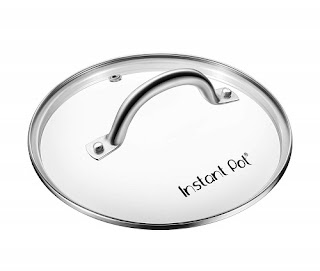
Genuine Instant Pot Tempered Glass Lid
Instant Pot Glass Lid
There are times when I've wanted to see inside my Instant Pot without having to open the lid, and the reviews say that this glass lid is great for the slow cooker function. That said, again, this doesn't seem so necessary that I'm going to buy it for myself.

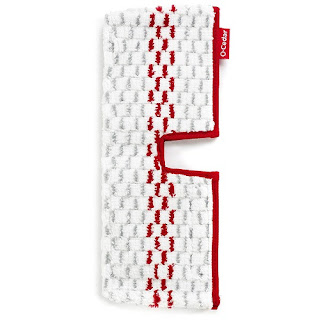
O-Cedar ProMist MAX Washable Refill

O-Cedar ProMist MAX Refill
This goes with the O-Cedar ProMist MAX Microfiber Spray Mop, which I use to mop my floors. I love it, but the velcro that keeps the pad on the mop head is losing its power and the pad sometimes comes off. I've used the mop a LOT, so I don't mind buying a new pad at some point. I've put it on my wish list in the hopes that it will go down in price before I HAVE to buy a new one.

Oodle Tip Large Disposable Food Filling & Decorating Bags with Attached Tips
Ooodle Tip Decorating Bags

These are on my wish list purely for fun. I saw a glowing review of them, and since decorating cakes and cupcakes always seems like too much trouble, I put these on my wish list to request sometime. If I had them, I might actually decorate!

Another way to use your wish list is to save items that you have to buy, but you don't want to always have to look up the specifications. For example, on a separate Amazon wish list, I have the batteries that fit our car key fobs and printer ink. When the time comes to order more, I won't have to look up the battery number or printer model.

Of course, it's important to remember to delete those items on your wish list that you no longer want. That's when your wish list really serves its purpose, by saving you from spending money on a purchase you don't need and didn't even really want in the first place!

May 15, 2018

One Tip to Get Your Finances Back on Track

Whenever I start to feel like our financial situation isn't quite what I want it to be, I have one surefire way for getting us back on track.

Get Your Finances Back on Track

My trick is to track every single expense.

Something about keeping track of every dime that goes out really works to reign in those expenses. I freely admit, it's a pain - mostly because I do it manually, on a simple spreadsheet. But I couldn't justify spending the money for a program that would pull data from our bank and credit card accounts to do the tracking for me.

When you start tracking, it's helpful to also create a budget or spending plan. It doesn't haven't to be elaborate - I do a quick calculation of our fixed monthly expenses and subtract that from our monthly income. The amount that's left is our discretionary spending money, and it's the outflow of that money that I track.

The goal is simply to keep the total spent that month to as far under the total discretionary amount as possible. For example, if our discretionary spending for the month is $2,500, I'd like to see the amount we spend be less than that.

I don't think of this as a strict budget. Some months we go way over the amount I've allotted for our discretionary spending and have to dip into savings. If we get close to the end of the month and a purchase will put us over, but it's something I think I really want or need, I'll make the purchase anyway. But the fact that I know we're close to our limit does make me question how much we want or need something, and that's probably the key to why this works to get (and keep) our finances on track.

Let us know if you try this and if it works for you!

Nov 14, 2017

The best ways to save money on Black Friday Shopping - Black Friday 2017

How to save money on Black Friday | chieffamilyofficer.com

I have a very simple trick for saving money on Black Friday shopping:

Don't do any shopping.

Of course, that's not what most people want to hear - including me. After all, I love a good bargain - as demonstrated by this entire site!

However, that doesn't mean it's not good advice. It truly is the best way to save money on Black Friday.

But looking at the big picture, most, if not all, of us need to buy holiday gifts before Christmas. And Black Friday's bargains can help us do that. So here's my second-best tip:

Make a list and stick to it.

Start by listing all of the recipients you need to buy gifts for. If you know what you want to get them, fantastic - write that down next to their name.

Next, look through the Black Friday ad scans for the stores you would be willing to shop at. If the store you're interested in isn't included, let me know and I'll see if I can add it. Add the name of the store to your list, next to the item, along with the price.

If you don't know what gift you want to buy for someone, scanning through the ads is a great way to come up with ideas.

Once you've made your list, total up the cost of the items and make sure you're staying within your holiday budget. (If you don't have a holiday gifting budget, start there, before you make your list!)

If you're over budget, edit your list accordingly - consider alternative items, less expensive versions of the gift you originally picked, or search for coupons and rebates that might lower the cost. If available, coupons and rebates are often included in or mentioned in the ad. You could also check to see if the store will email you a discount offer if you sign up to receive their promotional emails.

Do you have a favorite Black Friday shopping tip?

May 25, 2016

Do Sweat the Small Stuff: Because small amounts add up to big money

It's good to focus on the big picture, and keep the end goal in mind. That's true about many things, including your personal finances.

But it's also true that little things matter, and that when it comes to your budget, small amounts can make a big difference. They might be so small that you never notice them, but if you add them up over time, they can become huge.

Sweat the Small Stuff: Because small amounts add up to big money | Chief Family Officer

Two of my favorite examples of this are actually fundraisers at our school. One is Box Tops for Education, which is a program by General Mills. Certain General Mills products carry Box Tops, which you can cut out and turn in at school. Each Box Top is worth ten cents. Each year, our school earns over $1,000 from these little ten-cent pieces, and sometimes two or three times that. That breaks down to 10,000 Box Tops per $1,000!

Another fundraiser we do is a coin drive. Each student is asked to bring in loose change, with a target of $1 per student. Those quarters, dimes, nickels and pennies add up to several thousand dollars each year.

Finally, here's a non-fundraiser example: I've been a Pampers Rewards member for years. At first, I accumulated points quickly because I was constantly buying diapers and wipes, but these days, almost all of my points come exclusively from free codes that they put out. (I share those codes here whenever I find live ones!) Each code is usually worth 5 to 10 points, although occasionally a code might be worth as much as 100 points. Yet somehow I accumulate several hundred points each year - enough to redeem for one or two FREE Shutterfly calendars at the end of each year, which saves me money on holiday gifts.

The lesson here is that you should sweat the small stuff, at least when it comes to your personal finances!

Feb 20, 2015

How I Saved $300 in 15 Minutes (and one phone call)

How I Saved $300 in 15 Minutes | Chief Family Officer

I've read for years that you can save money by asking medical providers to reduce the amount you owe, but the few times I asked, it never worked. Apparently, that's because I've always had health insurance, and a good plan at that.

But at the end of last year, one of the boys injured himself on a Friday evening, and after a quick trip to the pediatrician's office, we found ourselves at the Emergency Room on Saturday. The bills from that experience have been coming in, and I've learned a few things:

Lesson #1: The hospital and doctors bill separately.

Lesson #2: They won't necessarily tell you upfront if they are members of your insurance network.

Lesson #3: The hospital and doctor don't really work together. What I mean is that in our case, the hospital was in-network but the doctor wasn't.

Whenever I pay a medical bill, I double check it against the Explanation of Benefits we receive from the insurance company to make sure the amount is correct. When I went to pay the doctor's bill, I realized that the doctor wasn't a member provider. No wonder the billed amount was in the $700 range!

The insurance company had already paid nearly $600. And apparently with an in-network provider, we would have owed approximately $150. But because the doctor wasn't in-network, we were being held liable for the additional $600 billed.

So I got on the phone with the doctor's billing agency to complain that I hadn't been told the doctor wasn't in-network and that if I had known, I would have asked for a different doctor. The customer service representative (CSR) who answered the phone assured me that every doctor in the ER was a member of the same out-of-network group of doctors that my bill came from, and then she said something that caught me off-guard: "Let me see what I can do."

Though I was surprised when she said that, years of reading frugal tips had prepared me for this moment. I immediately offered to pay the $150 I would have been on the hook for with a member provider. Unfortunately, the CSR said that wouldn't be enough. Her counteroffer was a reduction down to $500+. That was a $200 savings but still a lot of money! So I asked if she could reduce it further if I paid in full immediately. She put me on hold, and eventually came back with an offer that was $100 lower. The total was still a decent chunk of change, but about half of the difference between the original billed amount and the in-network copay. So I paid it off right there and then, impressed with myself for saving $300 in 15 minutes with one phone call.

And I have to admit, I was pleased that my years of reading almost every money-saving tip I can get my hands on paid off!

What's the most lucrative phone call you've ever placed?

Image via FreeDigitalPhotos.net by phasinphoto.

Nov 7, 2014

Braces: Saving money, What to eat, and More

Braces: Saving money, What to eat, and More - chieffamilyofficer.com

Did you know that kids get braces much earlier now than they did when we were kids?

Some of my boys' peers got theirs in second grade. I'm bringing up the subject right now because my fourth-grader just got his. This is "Phase One" - we're straightening some teeth for about eighteen months, and planning for another round of braces ("Phase Two") that will happen post-puberty. My poor kid also needs some teeth extracted to make space for the teeth that are coming in.

I didn't shop around for orthodontists in the sense of visiting a few and seeing who we liked best and was the most reasonably priced. I did talk with some friends about prices and reputations. But it turned out that we loved the first office we went to, and everyone who personally knows or knows someone who knows our orthodontist only has good things to say. Compared to costs quoted to several friends, our orthodontist is also very affordable and I'd actually be happy to pay a small premium for how well his office is run.

Unfortunately, I really didn't think things through financially when I agreed to have the braces put on this month. The cost is a lump sum charge, rather than a per-visit fee. I think we could have waited until January, so that I could ensure our Flexible Spending Account would cover the entire amount. In fact, my two biggest money-saving tips for orthodonture would be to ensure that your orthodontist's fees are reasonable for your region, and to pay for the process with tax-free money through your Flexible Savings or other tax-advantaged account (like a Health Savings Account).

With our Flexible Spending Account, we only get reimbursed for expenses that occurred in that calendar year, up to the amount that we contributed. For example, I can't be reimbursed from our 2014 account for a doctor's visit that I made in 2013. And if we go over our contribution amount, then we have to pay that overage out of pocket (with money that we paid taxes on). In the case of our orthodontics, I realized too late that we don't have enough money remaining in our 2014 Flexible Spending Account to cover the full lump sum being charged by the orthodontist. So I'm hoping that some of the charges can be applied to adjustments in 2015, which would allow me to pay for some of the costs from our 2014 Flexible Spending Account, and the remainder from next year's.

The other big issue I've been dealing with, aside from paying for the braces, is feeding the boy who now has them. He finally seems to be getting used to them, as he complained less about the pain this morning. Here are some of the soft foods we've tried or at least thought of:

Chocolate Mousse
Applesauce
Pudding
Milkshakes
Smoothies
Yogurt
Grated fresh apple
Banana bread
Macaroni and cheese
Baked pasta (overcooked so the pasta tends toward mushy - a sacrifice tolerated by the rest of the family)

I personally would have had delicacies like egg salad and mashed potatoes but my son doesn't like them.

What would you (or your child) eat if your teeth were sore?

Image via FreeDigitalPhotos.net by maen_cg.

Apr 22, 2014

A Price Book: The Single Best Way to Save Money on Things You Buy

Price Book - chieffamilyofficer.com

In the last five to ten years, as couponing has taken off, the Price Book seems to have fallen out of favor. But it's the single best way I know of to cut back on expenses.

A price book is simply a way to keep track of prices so that you know a good price when you see one. The benefit of a price book is that you can pay the lowest price on everything you buy on a regular basis, so you can substantially reduce your expenses on groceries and household items.

There are lots of different ways to keep a price book, but I think it's easiest to do it in a spreadsheet. Here's an example:

Price Book Example - chieffamilyofficer.com
Click on the image to see a bigger version.

I've used last week's Charmin deal at Target in this example, with a final price of 36 cents per double roll. As you can see, there are columns for Item, Size, Price, Coupon?, Other promo?, Final Price Per Unit, Date and Store. I have question marks after coupon and promo because those columns don't always apply, but they do in this case. The "Other Promo" category can include store rewards like ECBs and +UP rewards too.

The most critical data in a price book is the "price per unit." That lets you compare apples to apples. For example, if next week, CVS has a 12-pack of Charmin on sale for $4.99 and there's a $0.25/1 coupon in the P&G insert, you can calculate a final price of 39.5 cents per double roll. So you know that last week's deal was better and you can skip the new deal because a better one will probably come along soon. Conversely, if the price next week is $3.99, which works out to 31 cents per double roll after coupon, you'd know that next week is a great time to buy toilet paper and you'd update your price book to reflect the better deal.

If you're starting a price book from scratch, here are some easy ways to get some data so you have something to compare new prices to:
  • Use recent receipts - Pull out receipts from recent shopping trips and use them to enter as much data a possible. You might not have the exact size information, or recall whether you used a coupon, but at least you'll have a starting point.

  • Add data while you're shopping - If you see something you regularly buy, even if you're not buying it that day, take a photo of the shelf tag with your phone. Shelf tags generally list the item, size and price, so you should be able to calculate the cost per unit after you enter the data when you get home.

  • Use store circulars - Flip through the weekly ads for the stores you shop at and enter the info for the items you buy regularly. For example, all of the info in last week's Charmin deal at Target, except for the coupon, could be found in the weekly ad.
For organizational purposes, you could have different spreadsheets for different categories of products in your Excel file, sort the file alphabetically, or simply use the find function when you are looking for something specific. Within a couple of months, you should have a very useful tool that can help you save money on just about everything you regularly buy.

You can download the CFO Price Book template here.

This post will be linked to Thrifty Thursday at Living Well, Spending Less.

Image via FreeDigitalPhotos.net by posterize.

Apr 15, 2014

2x Tuesday: Save money and stress by using these tips when you callcustomer service

This post was originally published in 2007, but I still use these tips today. They've stood me in good stead throughout the years, and should serve you well too!

Save Money & Stress When Calling Customer Service - chieffamilyofficer.com

I hate calling customer service. But I do it anyway, because I hate not saving money even more. In fact, I've been doing it for years, and I've saved thousands of dollars because of it. Keeping the end in mind helps me pick up the phone. So do these tips:
  • Always have the necessary information in front of you. This includes the bill you're calling to question, your account number, product info, or anything else the CSR may ask for.

  • Always take notes. I usually write directly on the bill or relevant paper if there is one. If there isn't, I write on a blank piece of paper and store it with the relevant records. You could use a notebook, or keep a file on your computer, tablet or phone. Do whatever works for you - just make sure you write down the date, the name of the CSR, and the important details of your conversation. It's okay to ask the CSR to speak more slowly or hold on a moment because you're writing things down (in fact, they may provide better service because they know you're documenting the call).

  • Make sure you can find the paper you wrote on when you follow up. This actually goes along with tip #1. If you have to make a follow up call, it's best to have your notes from the previous call in front of you. That way you can start off by saying, "On September 6, I spoke to Mary, who said that I would save money by switching phone plans." This makes it clear to the CSR that you're on the ball, and it'll be easy to answer questions about what you were told the last time you called.

  • Be polite. I've had the best results when I've stayed calm and polite, even if at the same time, I'm stomping my feet because I'm so frustrated. It helps to call when you're in a relatively good mood and not pressed for time. Which leads into the next tip . . .

  • Do something else that's interrupt-able when you call. I hate being on hold, so I make sure that I'm doing something else that can be easily interrupted when I call. This can include going through posts on Google Reader, writing thank-you notes, or simply flipping through a magazine.

  • If you do snap, apologize. I've done this when my frustration has gotten the best of me. I say something like, "I'm very sorry for my harsh tone. This is very frustrating and I'd really like to get this resolved." If appropriate, I mention the prior, ineffective calls that I made. This is also a good time to ask to speak to a supervisor.
Follow these tips and calling customer service will be a little less painful.

This post will be linked to Thrifty Thursday at Living Well, Spending Less.

Image via FreeDigitalPhotos.net by Stuart Miles.